A new television needs more than the stand in the box: check the furniture, anchor the set and sort the cords before you set it up.
Key points
- The stand carries the TV, but it does not stop the set from tipping forward.
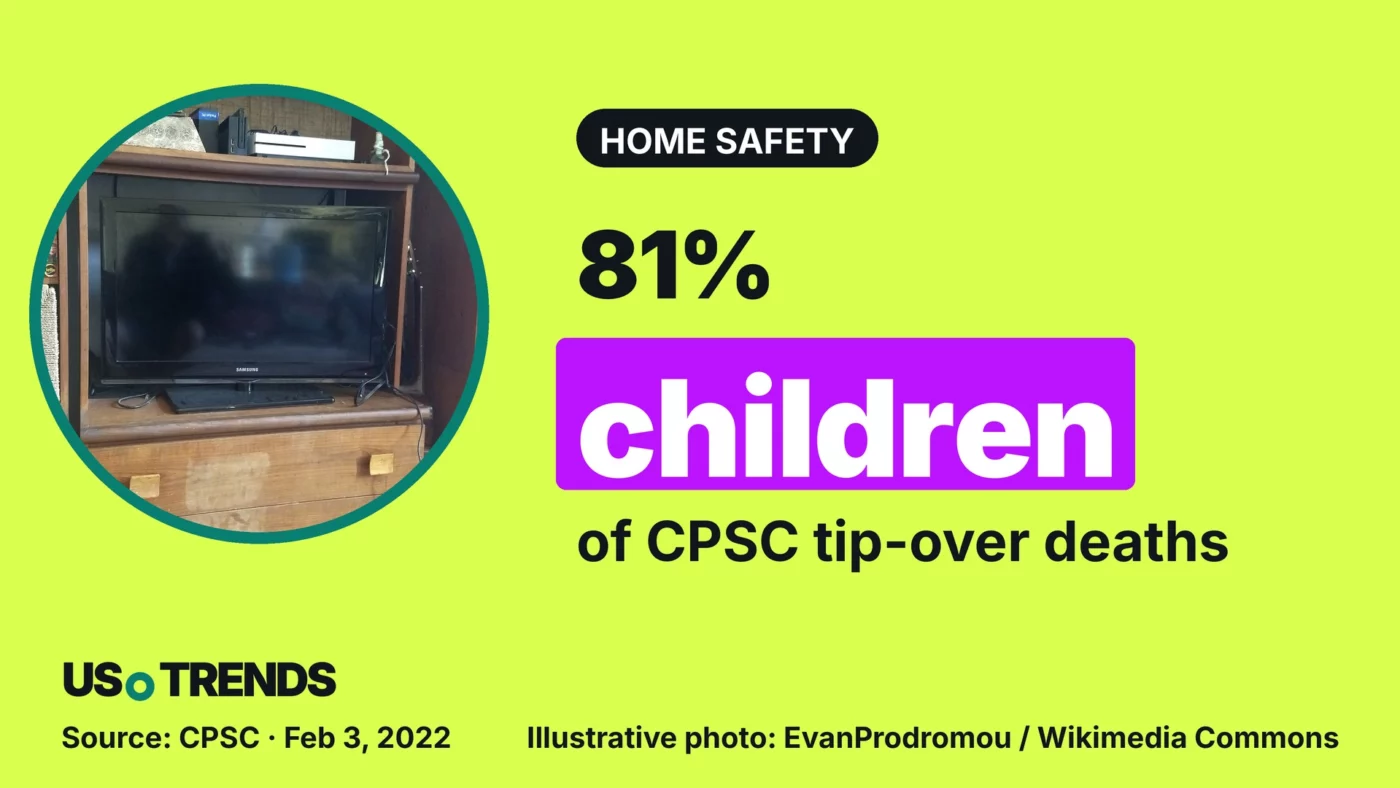
- Of 581 tip-over deaths since 2000, 472 (81%) were children 17 and younger, according to the CPSC.
- The furniture has to suit the new, bigger set, and the manual for your exact model decides how to secure it.
If you plan to buy a bigger television on Black Friday, November 27, 2026, decide how you will secure it before it comes home. The U.S. Consumer Product Safety Commission (CPSC) says to anchor TVs and furniture securely to the wall.
A larger screen has to fit the room, but it also has to stand safely on whatever you put it on. That is easy to overlook when the old set has sat on the same dresser or media console for years.
The CPSC figures below are not a warning about a particular model. Where a manufacturer gives model-specific rules, those come first.
What the CPSC numbers show
In a report published on February 3, 2022, the CPSC counted 581 deaths since 2000 in which furniture, a TV or an appliance tipped over. Of those, 472 (81%) were children 17 and younger. Among the child deaths, 71% involved a television.
An estimated average of 22,500 Americans a year were treated in hospital emergency departments for tip-over injuries in 2018 to 2020, and nearly 44% of them were children under 18. From 2011 to 2020, ER-treated tip-over injuries among all ages fell 55%, which the CPSC mainly attributed to fewer TV-related injuries.
The agency has also urged shoppers to put anti-tip-over kits on their holiday shopping lists next to the TV itself.
Stand or anchor: two different jobs
The stand holds the set up. A wall anchor, strap or similar tether does a different job: it connects the TV to the wall, or to suitable furniture, so the set cannot topple forward if it is bumped or pulled.
Manufacturers draw the same line. Philips’ manual for its 75PUT7908 describes a secure connection to the wall and requires suitable anti-tip protection for models weighing seven kilograms (about 15 pounds) or more, with installation by a qualified technician. That figure belongs to that manual and is not a universal rule for other sets.
So read the manual for the exact model number you buy. A picture of a similar set will not tell you which screws and fixing points are right.
Check the furniture before you buy
Safety notes for a Samsung Crystal UHD television set out three basics: use the recommended stand feet and installation method, choose furniture strong enough to carry the set, and do not let it overhang the edge. Put the furniture’s size and weight rating next to the new TV’s specifications before you order.
The fact that the old screen sat happily on the dresser does not settle it for a bigger successor. Check in particular where the feet sit and how much room they need.
An older specialty stand is not automatically reusable either. Sony’s instructions for the SU-FL300M and SU-FL300L assign those stands to specific televisions and point to each set’s own manual for anything else.
Cords and remotes count, too
Philips warns in its manual that toys and remote controls can tempt children to climb, and that cables should neither invite pulling nor create a trip hazard. A secure anchor does not replace a look at the room from a child’s height.
What to prepare before you set it up
Gather the paperwork and the furniture details first. The checklist below organizes the preparation; it does not replace the installation instructions.
Is the TV spot ready?
- Get the model documents out
Match the exact model name with the manual and safety notes.
- Check the surface
Compare the furniture's size and weight rating with the TV's specifications.
- Settle the anchoring
Work out the securing method the manual requires and where it can be fixed safely.
- Prepare the surroundings
Plan the cord routes and clear anything that might tempt kids to climb.
If you cannot tell whether the wall, the furniture or the fixing is suitable, ask a qualified installer before you mount or anchor anything.
Frequently asked questions
Is the stand that comes in the box enough?
It carries the set, but it does not replace any extra anti-tip securing the manual provides for. The CPSC advises anchoring TVs and furniture to the wall.
Can I keep my current media console?
Only if it suits the new TV. Check the weight rating, the surface size and the rules for the stand feet.
Does the seven-kilogram limit apply to every TV?
No. That limit comes from the Philips manual cited here. For other models, their own safety notes apply.
Your view: What did you have to change at home the last time you swapped your TV? Tell us in the comments.
Sources and date
- U.S. Consumer Product Safety Commission: CPSC injury and fatality report on TV and furniture tip-overs (press release 22-070, February 3, 2022).
- U.S. Consumer Product Safety Commission: TVs and furniture on the holiday shopping list: add anti-tip-over kits, too (press release, 2022).
- Philips: User manual 75PUT7908 (manufacturer’s manual, safety section, no separate publication date).
- Samsung: Safety notes, Crystal UHD 2024 (manufacturer’s document hosted by a retailer, no separate publication date).
- Sony: SU-FL300M/SU-FL300L (manufacturer’s instructions, 2007).
As of: November 26, 2026
Transparency note: AI-assisted tools were used in researching, structuring and writing this article. The sources used are listed in the article. Publication takes place only after manual editorial approval.
Share this article
Read next


Your curiosity
Our next story
Bring your ideas for AI and digital media
Discover open positions Research
 ▶ Reel