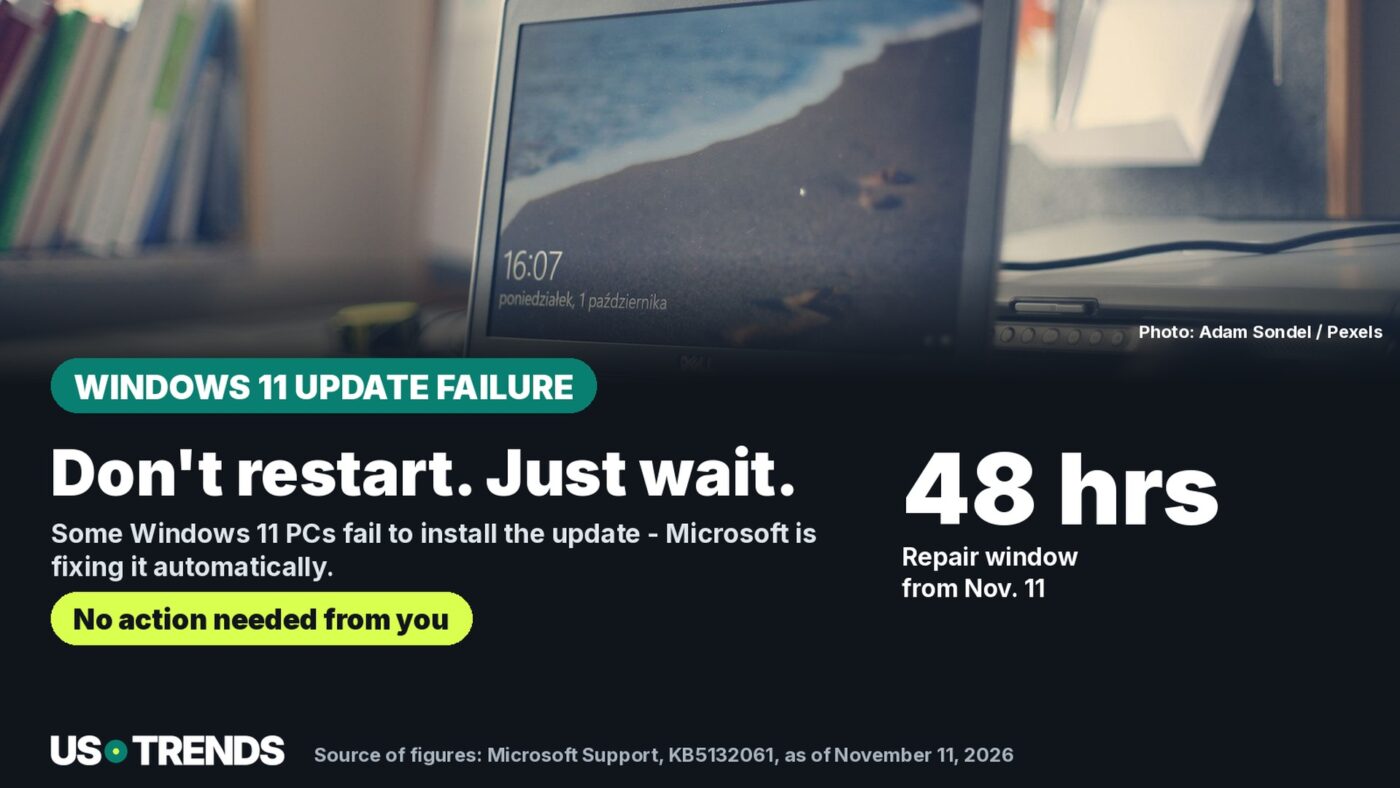
Microsoft confirms the issue on Windows 11 24H2, 25H2 and 26H2 and promises an automatic repair within 24 to 48 hours.
Key points
- Microsoft released the monthly security update KB5132061 for Windows 11 on November 10, 2026.
- Since November 11, 2026, the official support page for the update has listed a known issue: on some devices, installation fails, shown by error codes 0x80070306, 0x800f0989 or 0x800f0993.
- Microsoft says this affects Windows 11 version 26H2 and 25H2 in all editions, and version 24H2 in the Enterprise and Education editions.
- An automatic repair has been rolling out since November 11, 2026, 10am Pacific time, and is expected to reach affected devices within 24 to 48 hours. Microsoft says users don’t need to do anything.
Microsoft released the security update KB5132061 for Windows 11 on November 10, 2026. On some devices, installation fails, as the company itself confirms.
Patch Tuesday is the fixed date each month when Microsoft releases security updates for Windows. November’s update brings improvements to Secure Boot, NTLM sign-in and the signature check for PowerShell scripts, among other things, according to Microsoft. Anyone who can’t install the update also misses out on these security improvements – until the announced repair kicks in.
Microsoft doesn’t say exactly how many devices are affected. The company speaks generally of “some devices” and only added the issue to the list of known issues on the update’s support page a day after release, on November 11, 2026. That also means affected devices in the United States, as long as they’re running the versions named above.
Which Windows 11 versions are affected
On the support page for the update, Microsoft lists three affected version states: Windows 11, version 26H2, in all editions; Windows 11, version 25H2, also in all editions; and Windows 11, version 24H2, but there specifically only in the Enterprise and Education editions. For the widely used Home and Pro editions of 24H2, the page doesn’t list this particular issue.
Anyone unsure which version and edition their device is running can check under Settings › System › About. That’s also useful because many older Windows Update support issues are limited to individual versions only.
The error codes at a glance
According to Microsoft, affected devices may repeat the installation unsuccessfully several times or fail with one of these error codes: 0x80070306, 0x800f0989 or 0x800f0993. The codes show up in the update history under Settings › Windows Update › Update history. The support page doesn’t go into detail on the exact technical cause behind each code.
Microsoft’s automatic repair has been running since November 11
Microsoft says the repair runs automatically on all affected devices that are online and use Windows Update in Settings. It began on November 11, 2026 at 10am Pacific time – 1pm Eastern time the same day – and is expected to reach all affected devices within 24 to 48 hours. No manual action is needed; Microsoft says the device then downloads and installs the November update on its own.
Checklist: what you can do right now
- Check under Settings › Windows Update › Update history for one of the three error codes named above.
- Don’t repeatedly force a manual restart or installation – Microsoft says waiting is the intended approach.
- Only assume the problem persists once the 48-hour window from November 11, 1pm Eastern time, has passed.
- If the error still shows up after that: try a manual install via Settings › Windows Update › Advanced options › Optional updates, or contact Microsoft Support.
Anyone not worried about an urgent security risk can simply wait for the repair. Anyone using the device for work or sensitive data should still keep an eye on the update history over the next few days.
What else KB5132061 changes
Regardless of the installation problem, Microsoft says the November update brings several smaller changes: Secure Boot gets additional device data so more devices can receive the new certificates. Windows clients will, by default, offer NTLM message signing on non-anonymous connections to reduce the risk of relay attacks. PowerShell checks the encoding of signed scripts more strictly; scripts with invalid UTF-8 encoding can therefore fail the signature check. The update also fixes an issue adding printers published in Active Directory, an error code 10 issue affecting certain USB audio devices, and Remote Desktop connection drops caused by a certificate problem. Microsoft isn’t announcing an additional preview update for December 2026; the regular update cycle is set to resume in January 2027.
Frequently asked questions
Do I need to do anything myself if the update fails to install?
No, not according to Microsoft. The company describes an automatic repair that has been running since November 11, 2026 and is expected to reach affected, online devices within 24 to 48 hours. No action is required.
Which Windows 11 versions are affected?
Microsoft names version 26H2 and 25H2 in all editions, plus version 24H2 in the Enterprise and Education editions. For Home and Pro devices on version 24H2, the support page doesn’t list this particular issue.
What do I do if the problem is still there after 48 hours?
Microsoft then points to a manual install via the optional updates in Settings, or to Microsoft Support.
How do I know if my device is affected?
In the update history under Settings, Windows Update, Update history, one of the error codes 0x80070306, 0x800f0989 or 0x800f0993 shows up, or the installation keeps retrying without success.
We want to hear from you: Did the November update get stuck on your device, or did it install without a hitch?
Feel free to share your experience in the comments.
Sources and status
Research and data as of: November 13, 2026.
Transparency note: AI-assisted tools were used in researching, structuring and writing this article. The sources used are listed in the article. Publication takes place only after manual editorial approval. Translation of the German original on Net Trends.
Share this article